
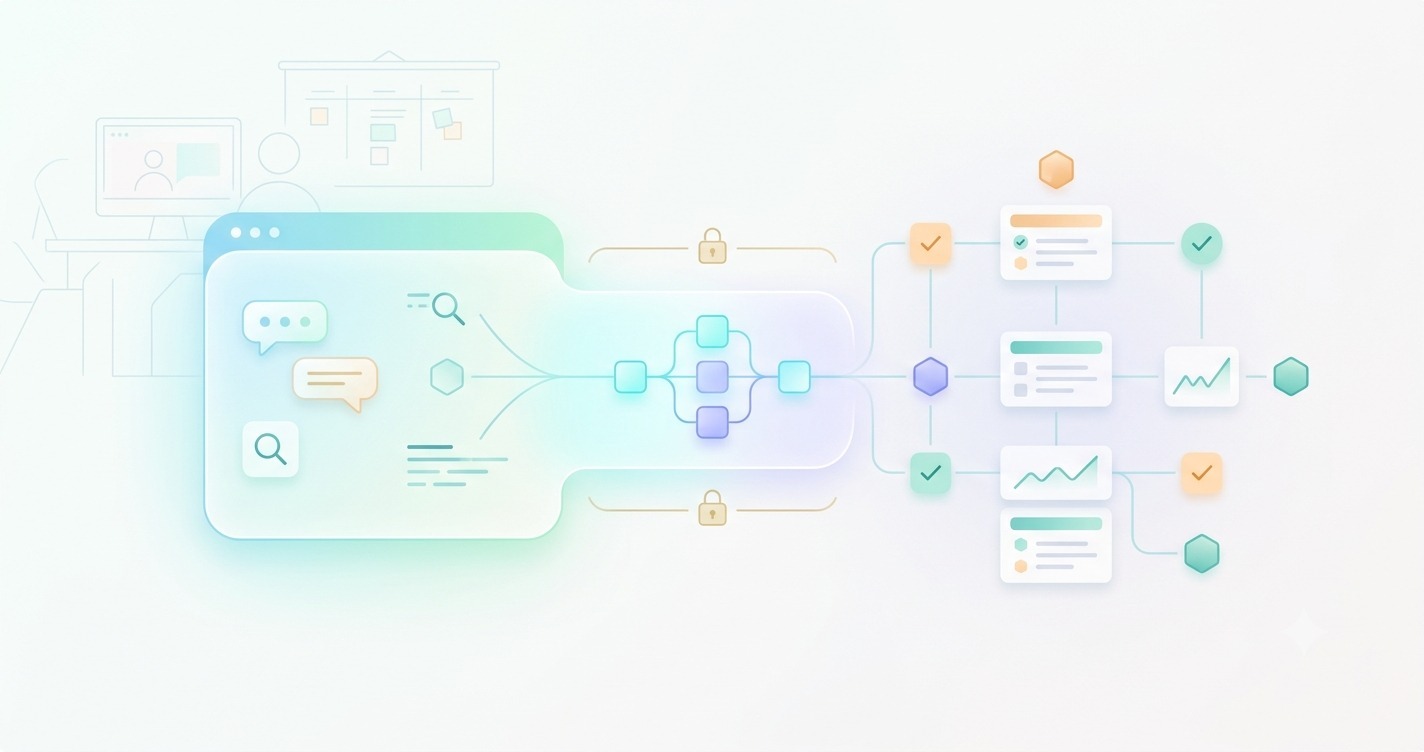
Modern software development is becoming more connected, intelligent, and automated. Developers no longer want to spend hours searching through project dashboards, updating tasks manually, or switching between multiple tools to manage their workflows. This is where Linear MCP Server is changing how AI assistants interact with development platforms.
The Linear MCP Server allows AI-powered tools to connect directly with Linear workspaces through the Model Context Protocol (MCP), creating a smarter way to manage issues, projects, and team workflows. Instead of using AI only for generating content or writing code, developers can now use it to understand real project data, organize tasks, and automate repetitive processes.
What Is Linear MCP Server and Why It Matters
The way developers interact with software tools is changing quickly. Instead of switching between multiple dashboards, copying information manually, or building custom integrations for every workflow, AI assistants are becoming a central part of modern development environments. This is where Linear MCP Server becomes important.
Linear MCP Server is a connection layer that allows AI applications to communicate directly with Linear, a popular project management and issue-tracking platform. It uses the Model Context Protocol (MCP), an open standard designed to help AI systems securely access external tools, data sources, and applications.
In simple terms, Linear MCP Server allows AI assistants to understand and work with your Linear workspace. Instead of only answering general questions, an AI tool can interact with real project information, such as issues, tasks, teams, projects, and development workflows.
For example, a developer can ask an AI assistant to find unresolved bugs, summarize project progress, create a new issue, or update an existing task without manually opening Linear and performing each action.
Understanding the Model Context Protocol Behind Linear MCP Server
The Model Context Protocol was created to solve a common challenge in AI development: connecting intelligent models with external systems.
Traditional AI assistants usually work with the information they were trained on or the limited data provided during a conversation. They do not automatically know what is happening inside your project management tools.
MCP changes this by creating a standardized communication method between AI models and external applications.
With Linear MCP Server, the AI assistant can request specific information from Linear and perform approved actions through a structured connection.
This creates a more useful development experience because AI becomes connected to real-time workflows instead of working as a separate tool.
Why Linear MCP Server Matters for Modern Development
Modern software teams manage thousands of tasks, discussions, bug reports, and product decisions. Managing this information manually takes time and often creates communication gaps.
Linear MCP Server helps reduce these problems by making project information easier to access through AI-powered interactions.
Some major benefits include:
- Faster access to project information
- Reduced repetitive administrative work
- Better issue management
- Improved developer productivity
- More efficient collaboration between teams
For example, a product manager may ask an AI assistant, “What are the biggest unresolved issues this sprint?” Instead of manually filtering tasks, the AI can analyze Linear data and provide a useful summary.
Developers can also use it during debugging. An AI assistant can review related issues, understand previous discussions, and help identify possible solutions faster.
Linear MCP Server and the Future of AI-Powered Workflows
The importance of Linear MCP Server goes beyond simple automation. It represents a shift toward AI agents that can actively participate in business and development processes.
Previously, AI tools mainly generated text, code, or ideas. Now, with protocols like MCP, AI systems can interact with real applications.
This creates opportunities for smarter workflows where AI assistants help manage projects, organize information, and support decision-making.
For businesses and development teams adopting AI, understanding tools like Linear MCP Server is becoming increasingly valuable.
How Linear MCP Server Works Behind the Scenes
To understand the real value of Linear MCP Server, it is important to look at how the system works internally.
At a basic level, Linear MCP Server acts as a bridge between an AI client and Linear’s platform. The AI application sends requests through the MCP connection, and the server communicates with Linear to retrieve information or perform specific actions.
The process happens through several important components working together.
The Role of MCP Client and MCP Server
An MCP setup usually contains two main parts:
MCP Client:
This is the AI application that users interact with. Examples include AI coding assistants and productivity tools that support MCP connections.
MCP Server:
This works as the connector between the AI client and an external service like Linear.
In this case, the Linear MCP Server understands requests from the AI client and translates them into actions that Linear can process.
A simple workflow looks like this:
- User sends a request to an AI assistant.
- The AI assistant identifies that Linear data is required.
- The MCP client sends a request to Linear MCP Server.
- The server communicates with Linear.
- Required information is returned to the AI assistant.
- The assistant provides a useful response to the user.
This entire process happens without the user manually searching through multiple project pages.
How Linear Data Becomes Available to AI
The biggest advantage of Linear MCP Server is controlled access to structured information.
Instead of giving an AI system unlimited access, MCP allows specific tools and permissions to be defined.
Depending on configuration, AI systems may interact with information such as:
- Issues
- Projects
- Teams
- Cycles
- Comments
- Status updates
- Workspace information
This structured approach helps AI understand the context behind development tasks.
For example, if a developer asks, “Show me open authentication bugs,” the AI can search Linear issues instead of providing a generic answer.
Authentication and Secure Communication
Security is a major consideration when connecting AI systems with business applications.
Linear MCP Server uses authentication methods to verify access and ensure that only authorized users and applications can interact with workspace data.
This prevents unauthorized access and helps maintain control over sensitive project information.
Organizations should always review permissions carefully before connecting AI tools with internal systems.
Why This Architecture Is More Efficient
Before MCP-based connections, developers often created custom API integrations whenever they wanted AI tools to interact with software platforms.
This approach required:
- Custom development work
- Regular maintenance
- Different integration methods for every application
MCP creates a more standardized approach.
Developers can build or use compatible AI tools without creating completely new connections every time.
This makes AI adoption easier and allows teams to experiment with automation more efficiently.
Key Features That Make Linear MCP Server Powerful
The growing interest in Linear MCP Server comes from its ability to connect AI capabilities with real project management workflows.
Instead of using AI only for writing or brainstorming, developers can use it as an assistant that understands project context.
Direct Issue Management Through AI
One of the strongest features is the ability to work with Linear issues through AI interactions.
Developers can use AI assistants to:
- Search existing issues
- Review bug reports
- Create new tasks
- Update issue details
- Analyze project progress
This reduces the time spent performing repetitive project management actions.
For example, after discovering a software problem, a developer can describe the issue to an AI assistant and create a properly structured Linear task.
Better Project Understanding
AI becomes more useful when it understands the surrounding context.
Linear MCP Server allows AI tools to access relevant project information, helping them provide more accurate responses.
Instead of asking:
“Write a bug report.”
A developer can ask:
“Create a bug report based on this error and check if a similar issue already exists.”
The AI can provide a response based on actual workspace information.
Improved Team Productivity
Development teams spend significant time organizing tasks, reviewing updates, and searching through project history.
Linear MCP Server helps reduce these repetitive activities.
Teams can use AI assistance for:
- Sprint preparation
- Task summaries
- Project reviews
- Issue tracking
- Progress analysis
This allows developers to spend more time solving technical problems instead of managing information.
Support for Modern AI Development Environments
Another important advantage is compatibility with MCP-supported AI tools.
As more AI-powered development environments adopt MCP, Linear MCP Server becomes part of a larger ecosystem where different applications can communicate more easily.
This creates flexibility for teams because they are not locked into one specific AI workflow.
Practical Benefits for Development Teams
The biggest value of Linear MCP Server is not only automation. It is context.
AI becomes significantly more useful when it understands:
- What the team is building
- Which problems exist
- What tasks are delayed
- What decisions were previously made
This transforms AI from a simple assistant into a workflow partner.
How to Set Up Linear MCP Server Step by Step
Setting up Linear MCP Server requires connecting a compatible AI client with Linear while ensuring proper authentication and permissions.
The exact setup process can vary depending on the AI application being used, but the general workflow remains similar.
Step 1: Choose an MCP-Compatible AI Client
First, you need an AI application that supports MCP connections.
Common examples include AI development environments and assistants that allow external MCP servers to be added.
Before installation, confirm that your chosen tool supports MCP functionality.
Step 2: Connect Linear Account Access
The next step is authentication.
The AI client needs permission to communicate with your Linear workspace.
During this process, users typically:
- Sign in to Linear
- Approve requested permissions
- Confirm workspace access
Only provide permissions that are necessary for your workflow.
Step 3: Configure Linear MCP Server
After authentication, the MCP server configuration needs to be added to your AI client.
This configuration tells the AI application:
- Which MCP server to use
- How to communicate with it
- What authentication method is required
Correct configuration ensures the AI tool can successfully access Linear data.
Step 4: Test the Connection
After setup, testing is important.
Start with simple requests such as:
- “Show my open issues.”
- “List current projects.”
- “Find recent updates.”
If the AI provides accurate information, the connection is working correctly.
Step 5: Optimize Your Workflow
After successful setup, think about how Linear MCP Server can improve daily tasks.
Create workflows around repetitive activities, such as:
- Daily project summaries
- Bug tracking
- Sprint preparation
- Issue organization
The goal is not replacing human decisions but reducing unnecessary manual work.
Common Setup Problems
Some users may experience issues such as:
- Authentication failures
- Missing permissions
- Incorrect configuration
- Unsupported AI clients
Most problems can be solved by reviewing account permissions and checking MCP client settings.

Best Real-World Use Cases for Developers and Teams
The real power of Linear MCP Server appears when teams use it for practical workflows instead of simple demonstrations.
Automated Issue Creation
Developers often discover bugs while working but creating detailed reports takes time.
With Linear MCP Server, an AI assistant can help create structured issues containing:
- Problem description
- Technical details
- Possible causes
- Priority suggestions
This improves issue quality and saves developer time.
Faster Bug Investigation
When debugging complex problems, understanding previous issues is important.
AI connected through Linear MCP Server can search existing discussions and related tasks.
This helps developers avoid repeating previous investigations.
Sprint Planning Assistance
Sprint planning requires reviewing priorities, unfinished tasks, and team capacity.
AI assistants can analyze Linear information and help teams prepare better sprint plans.
For example, teams can ask:
“Which high-priority tasks are still incomplete?”
The AI can summarize relevant information.
Project Status Reporting
Managers often spend time creating progress reports.
Linear MCP Server can help generate summaries based on real project activity.
This improves communication between technical and non-technical teams.
Developer Onboarding
New developers need time to understand existing projects.
AI connected with Linear can help explain:
- Current tasks
- Previous decisions
- Important issues
- Development priorities
This reduces onboarding time and improves team efficiency.
Product Management Support
Product teams can also benefit from AI-powered Linear workflows.
They can use AI assistance for:
- Feature tracking
- Customer feedback organization
- Roadmap discussions
- Project summaries
The combination of Linear and AI creates a more connected product development environment.
Also Read: Best Free AI Tools for Students in 2026
Linear MCP Server vs Traditional APIs and Integrations
The way applications connect with each other has changed significantly over time. Traditional APIs have been the standard method for connecting software platforms, but they often require custom development, maintenance, and technical expertise. Linear MCP Server introduces a more flexible approach by allowing AI systems to interact with Linear through a standardized communication method.
With traditional APIs, developers usually need to understand API documentation, create authentication systems, write custom code, and maintain integrations whenever platforms change. MCP reduces some of this complexity by providing a common framework designed specifically for AI applications.
| Feature | Linear MCP Server | Traditional APIs |
| Main Purpose | Connect AI assistants with Linear | Connect software applications |
| Development Effort | Lower for AI workflows | Requires custom coding |
| AI Understanding | Built for AI context sharing | Usually requires additional development |
| Flexibility | Works with MCP-compatible AI tools | Depends on individual API integration |
| Maintenance | More standardized | Requires ongoing updates |
However, traditional APIs are still valuable for advanced custom applications where developers need complete control. Linear MCP Server does not replace APIs completely; instead, it creates a simpler way for AI assistants to work with existing systems.
For modern teams using AI-powered workflows, MCP provides a more natural bridge between human instructions and software actions.
Security, Authentication, and Privacy Explained
When connecting AI systems with project management platforms, security becomes one of the most important considerations. Linear MCP Server is designed to provide controlled communication between AI clients and Linear workspaces while maintaining proper access management.
Authentication ensures that only approved users and applications can access workspace information. Before an AI assistant can interact with Linear data, users must authorize the connection and provide the required permissions.
| Security Area | How It Helps |
| Authentication | Confirms user and application identity |
| Permissions | Controls what data AI tools can access |
| Secure Communication | Protects information during transfer |
| Access Control | Prevents unauthorized workspace actions |
Teams should always follow security best practices, such as reviewing permissions regularly, limiting unnecessary access, and avoiding connections with unknown AI tools.
Privacy is especially important for companies handling sensitive information, including product plans, internal discussions, customer feedback, and development tasks. Organizations should understand what data an AI tool can access before enabling integrations.
A secure AI workflow is not only about technology but also about responsible configuration and proper team policies.
Common Issues, Limitations, and Practical Solutions
Although Linear MCP Server provides powerful AI integration capabilities, users may face some challenges during setup and daily usage. Understanding these limitations helps teams create smoother workflows.
One common issue is authentication failure. This can happen because of incorrect permissions, expired sessions, or configuration mistakes. Checking account access and reconnecting the integration usually resolves these problems.
Another challenge is that AI responses depend on available project information. If Linear issues contain incomplete descriptions or unclear details, the AI may provide less accurate results.
| Common Problem | Possible Solution |
| Connection errors | Check configuration and authentication settings |
| Missing data | Review workspace permissions |
| Incorrect AI responses | Improve issue descriptions and context |
| Limited actions | Verify available MCP capabilities |
There are also limitations related to AI decision-making. While AI can summarize information, organize tasks, and assist workflows, human review remains important for important technical decisions.
Teams should treat Linear MCP Server as a productivity assistant rather than a complete replacement for developers or project managers.
When implemented correctly, it can reduce repetitive work while allowing people to focus on higher-value tasks.
Latest Updates, Future Potential, and Final Thoughts
The future of Linear MCP Server is closely connected with the rapid growth of AI agents and intelligent automation. As more developers use AI assistants in daily workflows, the demand for better connections between AI models and business tools will continue increasing.
Recent improvements in MCP-based systems focus on better performance, stronger integrations, improved reliability, and broader support for AI applications. These developments are making AI assistants more useful for real-world software development.
In the future, Linear MCP Server could become an important part of autonomous development workflows where AI helps manage tasks, analyze project progress, and support decision-making.
The biggest advantage is not simply automation. It is giving AI access to meaningful context. When AI understands project goals, existing issues, and team workflows, its suggestions become more practical and valuable.
For developers and teams exploring AI-powered productivity, understanding Linear MCP Server is a strong step toward building smarter and more efficient development processes.