
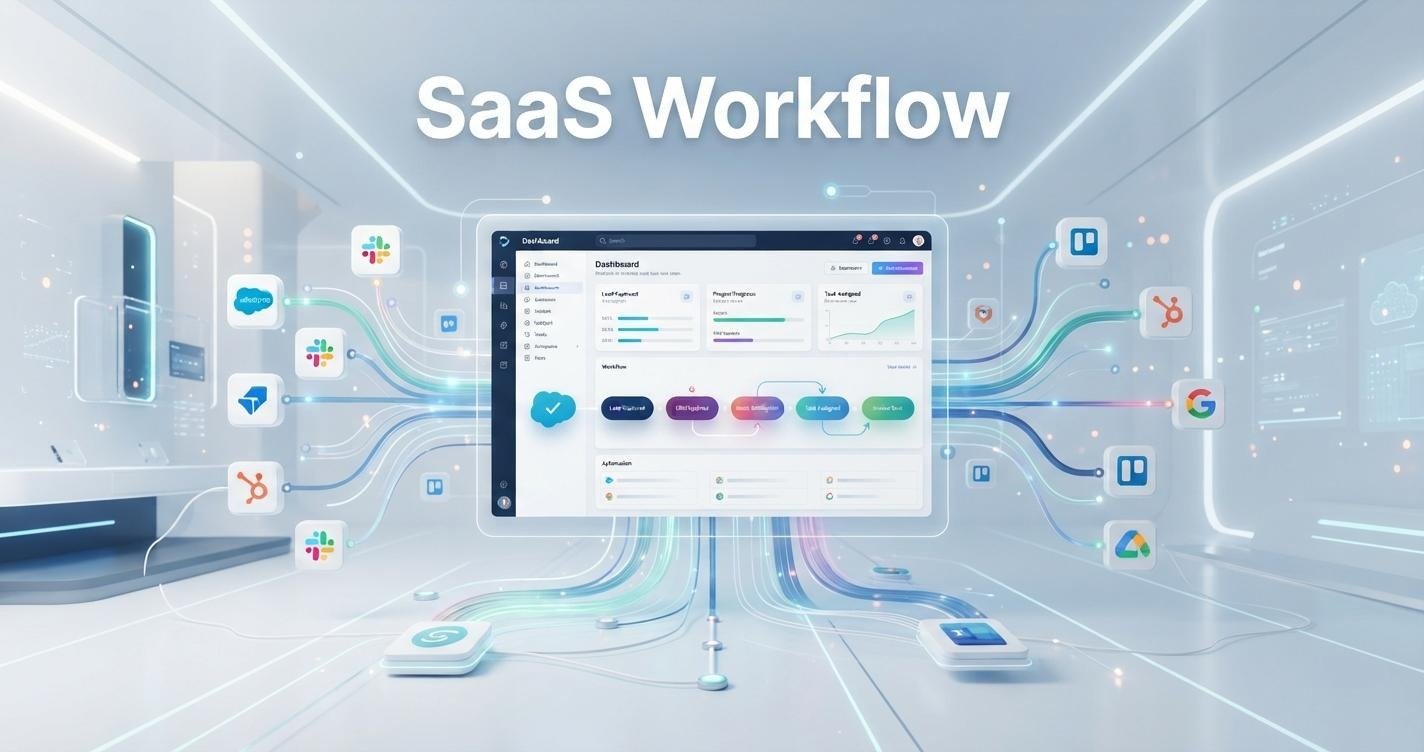
Modern businesses rely on dozens of software applications every day. Sales teams use CRMs, marketers depend on email platforms, finance teams manage invoices through cloud accounting tools, and customer support agents work inside help desk systems. While these applications make work easier, switching between them and repeating the same tasks can quickly reduce productivity. This is where a SaaS Workflow becomes valuable.
A well-designed SaaS Workflow connects software, people, and business processes into one organized system. Instead of manually copying data, sending reminders, or updating multiple platforms, automated workflows handle repetitive tasks with speed and accuracy. The result is fewer errors, faster execution, and more time for employees to focus on meaningful work.
Whether you run a startup, a growing SaaS company, or a large enterprise, understanding how SaaS workflows operate can significantly improve operational efficiency. This guide explores the fundamentals of SaaS workflows, explains why they matter, and shows how organizations can build smarter automation strategies that support long-term business growth.
Image Suggestion: Team collaborating around connected cloud applications.
Alt Text: SaaS Workflow connecting multiple business applications
What Is a SaaS Workflow and Why Does It Matter?
A SaaS Workflow is a structured sequence of tasks performed across one or more cloud-based software applications to complete a business process efficiently. These workflows may involve employees, automated actions, system integrations, approvals, notifications, and data transfers. Instead of handling every task manually, organizations create workflows that automate repetitive processes while keeping information synchronized across different platforms.
At its core, a SaaS workflow acts as the digital path that information follows from one step to the next. Imagine a customer filling out a contact form on a company website. Rather than asking an employee to copy those details into a CRM, notify the sales team, create a follow-up task, and send a welcome email, a SaaS workflow performs each of these actions automatically. The entire process happens within seconds without requiring manual intervention.
Businesses today use dozens of cloud applications simultaneously. Marketing teams often rely on email marketing software, customer relationship management systems, analytics platforms, and project management tools. Human resources departments work with recruitment software, payroll systems, and employee onboarding platforms. Finance teams manage accounting, invoicing, and expense tracking through specialized SaaS products. Without organized workflows, employees constantly switch between applications, increasing the risk of delays and human error.
One reason SaaS workflows matter is their ability to standardize business operations. Every employee follows the same automated process, reducing inconsistencies that commonly occur when tasks are completed manually. Standardization also improves compliance because approvals, documentation, and reporting become part of the workflow rather than depending on individual habits.
Another major advantage is scalability. As companies grow, manual processes become increasingly difficult to manage. Hiring additional staff simply to perform repetitive administrative tasks is expensive and inefficient. A properly designed SaaS workflow allows businesses to process larger workloads without increasing operational complexity. The same workflow that manages ten customer requests can often handle thousands with only minor adjustments.
SaaS workflows also improve collaboration between departments. Instead of working in isolated software systems, different teams receive the information they need automatically. Sales representatives can instantly access qualified leads generated by marketing. Customer support teams can view purchase histories without requesting information from finance. HR managers can automatically trigger onboarding checklists once a candidate accepts an offer. These seamless connections eliminate communication gaps that often slow down business operations.
Another important benefit is visibility. Modern workflow platforms provide dashboards, activity logs, and reporting tools that allow managers to monitor every stage of a process. If delays occur, organizations can quickly identify bottlenecks and improve performance. This level of transparency supports better decision-making because leaders can rely on real operational data rather than assumptions.
Perhaps the greatest value of a SaaS workflow is that it allows employees to spend less time on repetitive administration and more time solving problems, serving customers, and creating value. Automation does not replace human expertise; instead, it removes routine tasks so people can focus on work that requires creativity, judgment, and strategic thinking.
As digital transformation continues across every industry, SaaS workflows are becoming a core part of modern business infrastructure. Organizations that invest in intelligent workflow automation today position themselves to operate more efficiently, respond faster to changing customer needs, and build processes that remain effective as the business continues to grow.
How SaaS Workflows Transform Everyday Business Operations
Businesses today are no longer limited by traditional manual processes. With teams working across multiple departments and using different software platforms, managing daily operations efficiently has become a major challenge. A well-designed SaaS Workflow helps organizations connect their tools, automate repetitive activities, and create smoother processes that improve productivity.
The biggest transformation happens when businesses move from disconnected systems to integrated workflows. Without automation, employees often spend hours transferring information between applications, following up on tasks, and checking whether processes have been completed. A SaaS workflow removes these unnecessary steps by allowing different platforms to communicate automatically.
For example, when a potential customer submits a form on a website, a workflow can instantly send the information to a CRM, assign the lead to a sales representative, schedule a follow-up task, and trigger a personalized email. Instead of several employees managing different parts of the process, the workflow creates a connected customer journey.
Improving Sales and Lead Management
Sales teams are among the biggest beneficiaries of SaaS workflows. Managing leads manually often creates delays because important follow-ups can be missed. Automated workflows ensure that every potential customer moves through the sales pipeline consistently.
A sales SaaS workflow can automatically categorize leads based on their behavior, update customer records, notify sales representatives, and create reminders for future actions. This allows sales teams to focus more on conversations and relationship building rather than administrative tasks.
For growing businesses, this consistency is extremely valuable. A company may receive hundreds or thousands of inquiries each month, and without a structured workflow, managing those opportunities becomes difficult. Automation ensures that every lead receives proper attention.
Streamlining Marketing Activities
Marketing departments handle many repetitive tasks, including email campaigns, content distribution, customer segmentation, and performance tracking. SaaS workflows help marketers create automated systems that improve efficiency while maintaining personalization.
For instance, when someone downloads a resource from a website, a workflow can automatically add them to a relevant email sequence, update their marketing profile, and notify the sales team when they show buying intent.
This connection between marketing and sales creates better alignment. Instead of teams working separately, information flows smoothly between platforms, helping businesses understand customer behavior and improve campaigns.
Enhancing Customer Support Experiences
Customer expectations are higher than ever. People want quick responses, accurate information, and smooth communication across different channels. SaaS workflows help support teams deliver faster service by automating ticket management and customer communication.
A support workflow can automatically categorize incoming requests, assign tickets to the right team member, send confirmation messages, and escalate urgent issues. This reduces response times and ensures that important problems receive immediate attention.
Automation also helps support teams maintain consistency. Every customer follows a clear process, regardless of which employee handles the request.
Supporting Human Resources and Internal Operations
HR departments manage many processes that involve multiple steps and approvals. Employee onboarding, recruitment, leave management, and document processing can become complicated without proper systems.
A SaaS workflow can automate these internal processes. When a new employee joins, the workflow can create accounts, send required documents, notify different departments, and schedule training activities.
This improves the employee experience while reducing the administrative workload for HR teams.
Creating Data-Driven Business Decisions
Another major advantage of SaaS workflows is improved visibility. Automated systems collect valuable information about how processes perform. Managers can analyze completion times, identify delays, and discover areas where improvements are needed.
Instead of making decisions based on assumptions, businesses can use workflow data to optimize operations continuously.
A successful SaaS workflow does more than automate tasks. It creates a connected business environment where teams collaborate better, customers receive faster service, and companies can scale operations without unnecessary complexity.
Key Components of a High-Performing SaaS Workflow
A powerful SaaS Workflow is not created by simply connecting different applications together. Effective workflows require careful planning, clear objectives, and the right combination of components. Each element plays an important role in ensuring that automated processes run smoothly and deliver measurable results.
Understanding these components helps businesses design workflows that are reliable, scalable, and easy to improve over time.
Triggers: The Starting Point of Every Workflow
Every workflow begins with a trigger. A trigger is an event that tells the system when an automated process should start.
Examples include:
- A customer submitting a form
- A new employee joining the company
- A payment being completed
- A support ticket being created
- A specific date or deadline being reached
Triggers remove the need for employees to manually start processes. Once the defined condition occurs, the workflow automatically moves to the next stage.
Actions: The Tasks Performed Automatically
After a trigger occurs, the workflow performs specific actions. These actions represent the tasks that would normally require manual effort.
For example, after receiving a new customer inquiry, actions may include:
- Creating a CRM record
- Sending an email response
- Assigning a salesperson
- Updating customer information
The quality of a workflow depends heavily on selecting the right actions. Poorly planned actions can create unnecessary complexity instead of improving efficiency.
Conditions and Rules: Making Workflows Smarter
Conditions allow workflows to make decisions based on specific information. They create flexibility by allowing different outcomes depending on the situation.
For example, a SaaS workflow may check whether a lead comes from a high-value industry. If yes, it can send the lead directly to a senior sales representative. If not, it can place the lead into a standard follow-up sequence.
These decision points make workflows more intelligent and adaptable.
Integrations: Connecting Multiple SaaS Platforms
Most businesses use multiple software solutions. Integrations allow these platforms to exchange information and work together.
A marketing platform, CRM, payment system, and customer support tool can become part of one connected workflow. This eliminates data silos and ensures that teams always have updated information.
Strong integrations are especially important for businesses that depend on multiple cloud applications.
Notifications and Approvals
Not every process should be fully automated. Some situations require human review or approval.
Notifications ensure that the right people receive alerts at the right time. Approval workflows are commonly used for expenses, contracts, content publishing, and important business decisions.
This combination of automation and human control creates balanced workflows.
Analytics and Performance Tracking
A high-performing SaaS workflow should always be measurable. Analytics help businesses understand whether automation is actually improving operations.
Important workflow metrics may include:
| Metric | Purpose |
| Completion time | Measures process speed |
| Error rate | Identifies workflow issues |
| Task delays | Finds bottlenecks |
| Conversion rate | Measures business impact |
Tracking these metrics allows companies to improve workflows continuously.
A successful SaaS workflow combines triggers, actions, rules, integrations, approvals, and analytics into one efficient system. When these components work together, businesses can create automated processes that save time while maintaining quality and control.
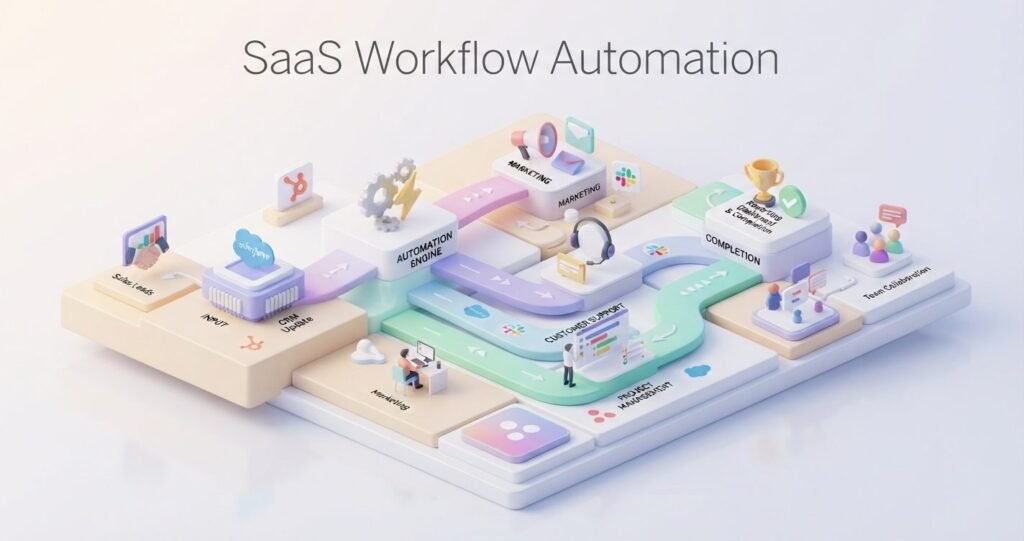
Step-by-Step Guide to Building an Effective SaaS Workflow
Creating an effective SaaS Workflow requires more than choosing an automation tool and connecting applications. The most successful workflows begin with understanding business goals, identifying problems, and designing processes that support long-term efficiency.
The following steps help organizations build workflows that are practical, scalable, and easy to manage.
Step 1: Identify Repetitive Business Processes
The first step is finding tasks that consume unnecessary time. Look for activities that employees repeat frequently, require multiple applications, or involve manual data entry.
Common examples include customer onboarding, lead management, invoice approvals, employee onboarding, and reporting.
Automating the right processes creates immediate value because it removes the tasks that slow teams down.
Step 2: Map the Existing Process
Before automation, understand how the current process works. Document every step, including who performs each task, which tools are involved, and where delays usually happen.
Process mapping helps identify unnecessary steps and prevents businesses from automating inefficient workflows.
A simple workflow map might include:
Starting event → Required actions → Approvals → Final outcome
This structure creates clarity before selecting technology.
Step 3: Choose the Right SaaS Workflow Tools
The best tool depends on business requirements. Some organizations need simple automation between applications, while others require advanced workflow management systems.
Factors to consider include:
- Available integrations
- Ease of use
- Scalability
- Security features
- Reporting capabilities
Choosing the wrong platform can create additional complexity, so businesses should evaluate their long-term needs.
Step 4: Build and Test the Workflow
Once the process is planned, create the workflow using selected tools. Start with a small version and test every step carefully.
Testing helps identify problems such as incorrect data transfers, missing notifications, or unnecessary automation steps.
A pilot workflow allows teams to improve the system before implementing it across the organization.
Step 5: Monitor Performance and Improve Continuously
A workflow should never be considered permanently finished. Business needs change, software updates occur, and new challenges appear.
Regular monitoring helps identify opportunities for improvement. Companies should review workflow performance, collect employee feedback, and update processes when necessary.
The best SaaS workflows evolve over time. Continuous improvement ensures that automation continues delivering value as the business grows.
Real SaaS Workflow Examples Every Business Can Learn From
Understanding the concept of a SaaS Workflow becomes much easier when we look at how businesses use automation in real situations. Different departments have different challenges, but workflows help them create organized systems where tasks move automatically from one stage to another.
A well-designed workflow does not simply save time. It improves accuracy, creates better communication between teams, and helps businesses deliver consistent experiences to customers and employees.
Customer Onboarding Workflow
Customer onboarding is one of the most common areas where SaaS workflows create significant improvements. When a customer purchases a product or signs up for a service, several steps usually need to happen before they become fully active.
A SaaS workflow can automatically create customer profiles, send welcome emails, assign account managers, schedule training sessions, and track onboarding progress. This ensures every customer receives the same quality experience without employees manually managing every step.
For SaaS companies, this type of workflow is especially important because customer success often depends on how quickly users understand and adopt the product.
Also Read: Anthropic Effective Context Engineering for AI Agents Explained
Sales Lead Management Workflow
Sales teams deal with large amounts of customer information every day. Without automation, leads can be forgotten, follow-ups may be delayed, and sales opportunities can be lost.
A sales workflow connects marketing platforms, CRM systems, and communication tools to create a smoother process. When a new lead enters the system, the workflow can analyze lead details, assign ownership, create follow-up tasks, and update customer records automatically.
This allows sales representatives to spend more time building relationships instead of managing repetitive administrative work.
Employee Onboarding Workflow
Human resources departments often manage complex processes when new employees join a company. Creating accounts, collecting documents, scheduling training, and informing different departments can involve many manual steps.
A SaaS workflow simplifies this process by connecting HR software with communication and productivity tools. Once a new employee is added, the workflow can automatically notify relevant teams, prepare required documents, and create onboarding tasks.
This creates a smoother experience for both employees and HR professionals.
Customer Support Workflow
Customer support teams need fast and organized systems because delayed responses can affect customer satisfaction. A SaaS workflow helps support departments manage requests efficiently.
When a customer submits a support ticket, automation can categorize the issue, assign it to the correct team member, send confirmation messages, and prioritize urgent cases.
This approach improves response speed while ensuring important issues receive proper attention.
Content Marketing Workflow
Content teams also benefit from workflow automation. Publishing an article often requires research, writing, editing, approval, design, and promotion.
A content workflow can automatically assign tasks, notify team members about deadlines, organize approvals, and track publishing schedules. This reduces confusion and helps teams maintain a consistent content production process.
Finance and Invoice Approval Workflow
Financial operations usually involve multiple approval stages. Manual invoice processing can create delays and increase the chance of errors.
A SaaS workflow can automatically send invoices for review, notify managers, record approvals, and update accounting systems. This creates transparency and reduces unnecessary paperwork.
Real-world examples show that SaaS workflows are not limited to one industry or department. From sales and marketing to HR and finance, businesses can use automation to create faster, more reliable, and scalable operations.
Common SaaS Workflow Mistakes That Slow Down Business Growth
While a SaaS Workflow can improve efficiency, poorly designed automation can create new problems instead of solving existing ones. Many businesses rush into automation without understanding their processes, which leads to complicated systems, wasted resources, and frustrated employees.
The goal of workflow automation is not to automate everything. The goal is to create smarter processes that remove unnecessary work while keeping important human decisions involved.
One common mistake is automating unclear processes. If a business does not understand how a task should be completed manually, automation will only make the confusion happen faster. Before creating any workflow, companies should analyze their existing processes and remove unnecessary steps.
Another mistake is creating overly complicated workflows. Some organizations add too many conditions, actions, and integrations because they want to cover every possible situation. However, complex workflows become difficult to maintain and troubleshoot. A simple workflow that solves the main problem is usually more effective than a complicated system with unnecessary features.
Poor integration planning is another challenge. Businesses often use multiple SaaS platforms, but connecting the wrong tools can create duplicate data, incorrect information, or broken processes. Every integration should have a clear purpose and improve the overall workflow.
Ignoring employee feedback is also a major issue. Employees are the people who interact with workflows daily, so their experience matters. A workflow that looks efficient from a management perspective may create difficulties for the people using it.
Another mistake is failing to monitor workflow performance. Automation requires continuous improvement. Businesses should regularly review whether workflows are reducing workload, improving speed, and creating better results.
| Common Mistake | Why It Creates Problems |
| Automating unclear processes | Creates faster confusion |
| Too many workflow steps | Makes maintenance difficult |
| Poor tool selection | Reduces efficiency |
| No performance tracking | Prevents improvement |
Avoiding these mistakes allows businesses to build workflows that support growth instead of creating additional complexity.
Best Practices to Optimize SaaS Workflow Automation
Building an effective SaaS Workflow requires continuous optimization. A workflow that works well today may need improvements as business goals, customer expectations, and technology change.
The first best practice is keeping workflows simple and focused. Every automation should have a clear purpose. Adding unnecessary steps can slow down processes and make future updates more difficult.
Businesses should also focus on choosing the right level of automation. Not every decision should be handled by software. Tasks that require creativity, judgment, or personal communication should still involve humans. The best workflows combine automation with human expertise.
Regular testing is another important practice. Before launching a workflow across an entire organization, businesses should test it with a smaller group. This helps identify problems and allows teams to improve the process before wider implementation.
Data quality should also remain a priority. Automated systems depend on accurate information. Incorrect customer details, outdated records, or inconsistent data can reduce workflow effectiveness.
Security and access control are equally important. Since SaaS workflows often connect multiple business applications, companies should ensure that only authorized users can access sensitive information.
| Optimization Area | Improvement Focus |
| Workflow design | Remove unnecessary steps |
| Data management | Maintain accurate information |
| Security | Control access permissions |
| Performance tracking | Measure results regularly |
Finally, businesses should review workflows regularly. Successful organizations treat automation as an ongoing improvement process rather than a one-time setup.
By following these practices, companies can create SaaS workflows that remain efficient, secure, and adaptable as their operations continue to grow.
Also Read: How AI Automation Is Changing Business Workflows
Top SaaS Workflow Tools Compared for Different Business Needs
Choosing the right tool is one of the most important decisions when building a SaaS Workflow. Many businesses make the mistake of selecting software only because it has a long feature list. In reality, the best workflow tool is the one that matches the company’s actual processes, team size, technical ability, and automation goals.
Every organization has different requirements. A small business may only need simple task automation between a few applications, while a growing company may require advanced integrations, approval systems, reporting, and team collaboration features.
Before selecting any platform, businesses should understand what problem they are trying to solve. A workflow tool should reduce unnecessary manual work, improve communication, and create a more organized way of completing tasks.
| Tool Category | Best For | Main Workflow Use |
| Automation Platforms | Connecting different apps | Data transfer and repetitive task automation |
| Project Management Tools | Team collaboration | Task tracking and operational workflows |
| CRM-Based Workflows | Sales and customer management | Lead tracking and customer journeys |
| Business Process Platforms | Complex operations | Approvals and structured processes |
Automation Platforms for Connecting Applications
Automation platforms are commonly used by businesses that want different SaaS applications to work together. These tools help connect email platforms, CRMs, spreadsheets, payment systems, and other applications without requiring advanced programming knowledge.
For example, a business can create a workflow where a new customer purchase automatically updates a spreadsheet, sends a confirmation email, and creates a task for the customer success team.
These platforms are useful for reducing repetitive administrative work and improving information flow between departments.
Project Management Workflow Tools
Project management platforms help teams organize tasks, deadlines, approvals, and collaboration. They are especially useful for marketing teams, software development groups, and companies managing multiple projects.
A project workflow can automatically assign tasks, update progress statuses, notify team members, and create reminders. This prevents important activities from being forgotten and provides better visibility into ongoing work.
CRM Workflow Systems
Customer relationship management platforms often include built-in workflow features designed for sales and customer support teams.
These workflows help businesses manage customer interactions from the first contact until long-term retention. They can automate lead assignment, follow-up reminders, customer segmentation, and communication processes.
CRM workflows are valuable because they keep customer information organized and ensure teams follow consistent processes.
Business Process Automation Platforms
Larger organizations often require more advanced workflow systems because their processes involve multiple departments, approvals, and compliance requirements.
Business process platforms help manage complex operations such as employee requests, financial approvals, document reviews, and internal services.
These systems focus on controlling how information moves through an organization while maintaining transparency and accountability.
How to Choose the Right SaaS Workflow Tool
The right choice depends on several factors. Businesses should consider integration options, ease of use, scalability, security, reporting features, and future requirements.
A tool that works perfectly for a small team may not be suitable for an enterprise environment. Similarly, a complex platform may create unnecessary challenges for a company that only needs basic automation.
The goal should always be creating a workflow system that employees can easily understand and use. Technology should simplify operations, not make them more complicated.
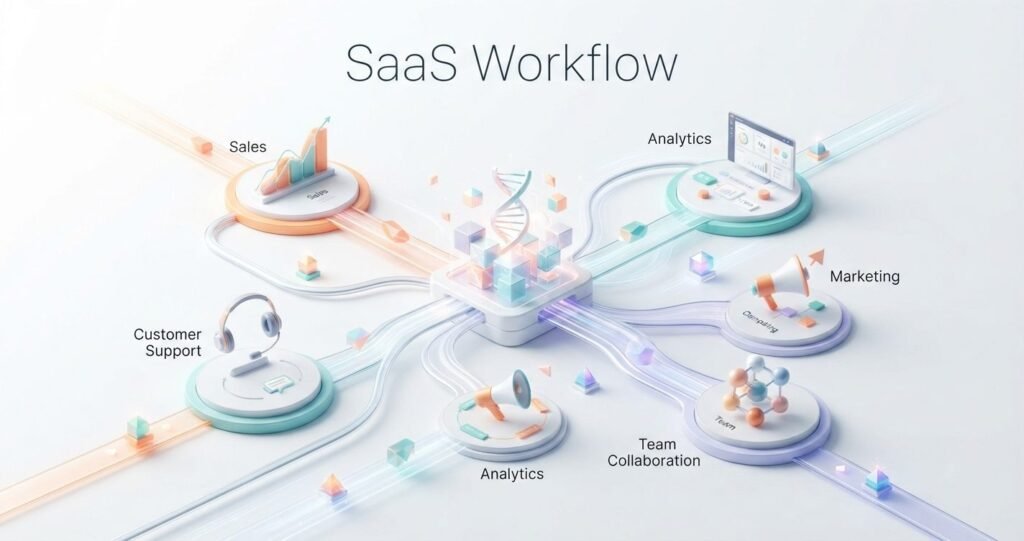
Future Trends Shaping SaaS Workflows in the AI Era
The future of SaaS Workflow automation is moving toward smarter, more adaptive systems. Traditional workflows followed fixed rules where one action triggered another. Modern workflows are becoming more intelligent by using artificial intelligence, machine learning, and advanced data analysis.
Businesses are no longer looking only for automation. They want systems that can understand situations, suggest improvements, and make certain decisions automatically.
AI-Powered Workflow Automation
Artificial intelligence is changing how workflows operate. Instead of simply following predefined instructions, AI-powered systems can analyze information and recommend the next best action.
For example, an AI-enhanced customer support workflow can identify customer sentiment, prioritize urgent requests, and suggest suitable responses. A sales workflow can analyze customer behavior and highlight opportunities that require attention.
This creates more flexible automation that adapts to real business situations.
Rise of No-Code and Low-Code Workflows
No-code and low-code platforms are making workflow creation accessible to more people. In the past, businesses often needed developers to build and maintain automation systems.
Today, many teams can design workflows using visual interfaces. Marketing managers, operations teams, and business owners can create processes without writing complex code.
This shift allows organizations to respond faster when business needs change.
Intelligent Data Management
Future SaaS workflows will rely heavily on better data management. Businesses collect information from many sources, but the real value comes from organizing and using that data effectively.
Advanced workflows will help companies automatically clean information, identify patterns, and provide insights that support better decisions.
AI Agents and Autonomous Workflows
One emerging trend is the development of AI agents that can complete multiple connected tasks with minimal human involvement.
Instead of creating separate automation rules for every action, businesses may use intelligent agents that understand goals and complete workflows independently.
For example, an AI agent could analyze customer requests, update records, schedule meetings, and prepare reports automatically.
Greater Focus on Security and Control
As workflows become more connected, security will become even more important. Businesses will need stronger access controls, better monitoring, and clear governance policies.
Automation should increase efficiency while protecting sensitive business and customer information.
The future of SaaS workflows is not about removing humans from processes. It is about creating smarter systems where technology handles repetitive tasks while people focus on creativity, strategy, and decision-making.