
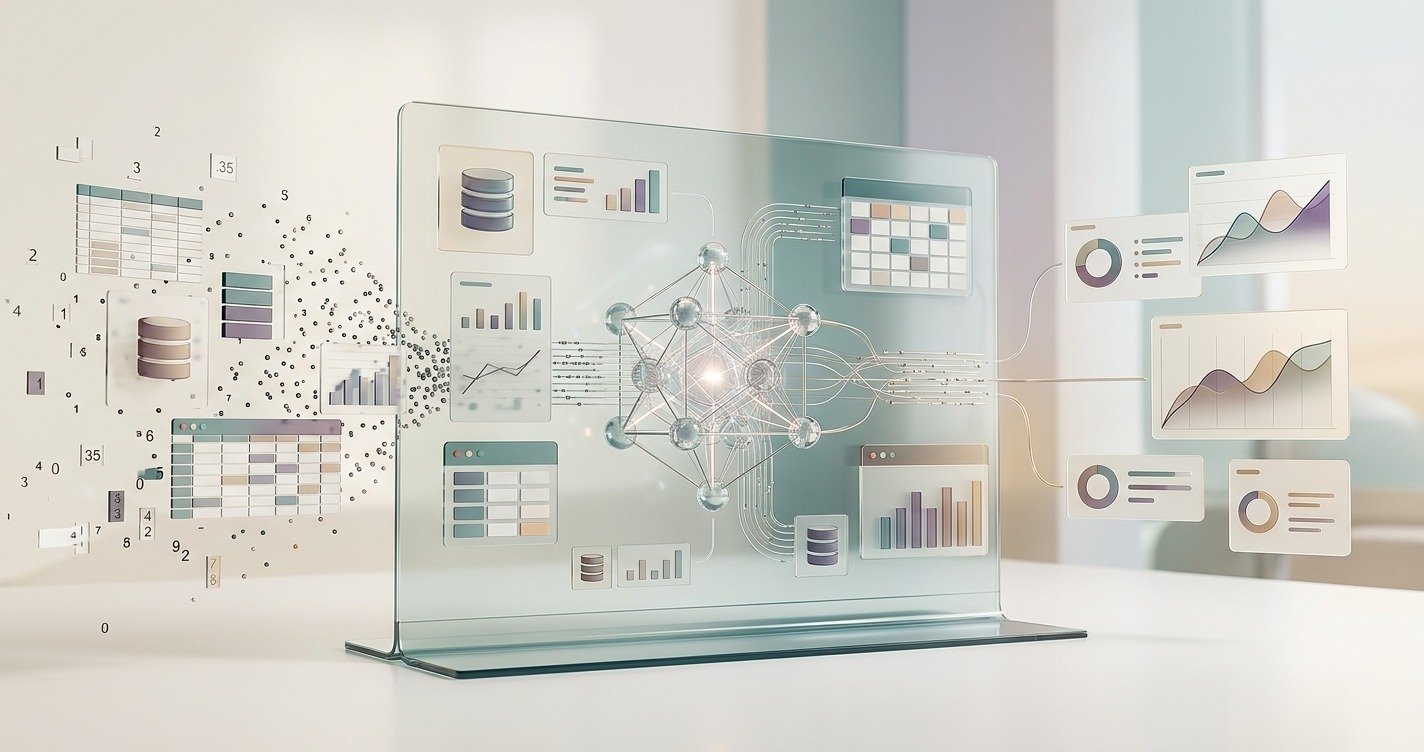
Data analysis has traditionally required a mix of spreadsheets, SQL, dashboards, statistics, and human judgment. Even a simple business question could turn into a long process: finding the right data, cleaning it, writing a query, checking the numbers, creating a chart, and finally explaining what the results mean.
Automated data analysts are changing that workflow.
Instead of relying entirely on manual analysis, modern AI systems can understand questions written in plain English, work with structured data, generate queries, identify patterns, create visualizations, and summarize findings. Some systems can even connect directly to databases and provide the SQL or logic behind their answers.
But automated data analysts are not simply “robots that replace analysts.” Their real value is in reducing repetitive work and making data easier to explore. Human analysts still play an important role when the work involves business context, unusual situations, judgment, validation, or high-stakes decisions.
So, what exactly are automated data analysts, how do they work, and what can they really do?
1. What Are Automated Data Analysts?
An automated data analyst is an AI-powered system designed to perform some of the tasks normally handled by a data analyst. It uses technologies such as machine learning, large language models, natural-language processing, data-querying systems, and code execution to turn raw data into useful information.
The idea is simple. Instead of asking a data analyst to manually investigate every question, a person can give the question directly to an AI system.
For example, imagine a store owner has a spreadsheet containing thousands of orders. Instead of manually creating formulas, the owner could ask:
“Which products generated the most revenue this quarter?”
An AI data analyst can inspect the available data, identify relevant fields, perform the calculation, and present the result as a table or chart. Modern AI data-analysis tools increasingly support spreadsheets, CSV files, databases, natural-language questions, visualizations, and statistical analysis.
This does not mean that every automated data analyst works in exactly the same way. Some are designed for uploaded files such as Excel and CSV. Others connect directly to business databases such as PostgreSQL, MySQL, Snowflake, or BigQuery. Some focus on business intelligence, while others are built for exploratory analysis or more technical workflows.
The term can therefore describe a broad category rather than one specific software product.
The biggest difference from traditional analysis is the interaction model. A conventional workflow may require SQL knowledge, spreadsheet formulas, or dashboard-building skills. An AI-based workflow can allow the user to start with an ordinary question.
That makes data analysis more accessible to people who understand their business but do not necessarily know how to write SQL or Python.
However, automated does not mean infallible. The quality of an AI-generated answer depends heavily on data quality, definitions, context, and the system’s ability to interpret the question correctly. For important decisions, human review remains essential.
2. How Do Automated Data Analysts Work?
The easiest way to understand an automated data analyst is to follow what happens after a user asks a question.
Suppose someone asks:
“Why did our sales decline last month?”
A modern AI data analyst does not simply search the internet for an answer. It needs access to relevant business data and must determine which information can help answer the question.
The first step is usually understanding the data. The system may inspect tables, columns, relationships, data types, and available business definitions. This context helps it determine where the required information is stored.
Next comes question interpretation. The system translates the user’s natural-language request into an analytical task. Some platforms can break complicated questions into smaller steps or ask clarifying questions when the request is ambiguous. Research into automated exploratory data analysis has also explored pipelines involving question clarification, decomposition, text-to-SQL, and visualization.
The next stage can involve query generation. For database-based systems, an AI model may generate SQL to retrieve the required records. Some platforms show the generated SQL so users can inspect how the answer was produced.
After retrieving the data, the system performs the requested calculations or analysis. Depending on the platform, this could include grouping data, calculating percentages, comparing periods, detecting unusual values, or generating statistical results.
Then comes visualization and explanation. Rather than returning a wall of numbers, the system may create a chart, table, or written summary.
Finally, the AI explains the result in ordinary language.
The process can look like this:
Question → Data Context → Query/Analysis → Calculation → Visualization → Explanation
That is what makes automated data analysis different from a basic chatbot. A useful system needs access to actual data, analytical capabilities, and enough context to connect the question with the correct information.
Still, the workflow has weak points. A poorly defined metric, incorrect join, stale dataset, or ambiguous question can produce an answer that looks convincing but is wrong. That is why transparency and verification are important features when evaluating an AI data analyst.
3. What Can AI Data Analysts Automate?
The biggest attraction of automated data analysts is not one particular feature. It is the number of small analytical tasks they can bring together in one workflow.
One common task is data exploration. Instead of manually scanning thousands of rows, a user can ask the system to identify important patterns, unusual values, or changes between periods.
AI can also help with data cleaning and preparation. Depending on the tool, it may identify missing values, inconsistent formats, duplicates, or obvious data-quality issues. However, users should still verify important transformations before relying on the final dataset.
Another major capability is natural-language querying. A user can ask questions such as “Which region had the highest revenue?” without manually writing a SQL statement. The system can translate the request into a query, execute it, and return a result. This natural-language approach is now a major feature across AI data-analysis platforms.
Automated systems can also assist with visualization. Instead of selecting chart types manually, the AI can choose a suitable visualization and explain the main pattern.
Anomaly detection is another useful area. A system can flag unusual changes, sudden spikes, unexpected drops, or values that differ significantly from normal behavior. Some current AI data-analysis tools explicitly include anomaly detection among their capabilities.
AI can also automate parts of reporting. A recurring report that normally requires someone to collect numbers, create charts, and write a summary can potentially be generated automatically.
Some systems go further into forecasting and predictive analysis, although this requires more caution. A prediction is only as useful as the data, assumptions, model, and validation behind it.
The important distinction is that automation works best with clearly defined, repeatable tasks. Asking an AI to calculate monthly revenue from a clean dataset is very different from asking it to decide whether a company should acquire another business.
In short, automated data analysts can reduce the mechanical workload around:
- Data exploration
- Query generation
- Basic calculations
- Data visualization
- Pattern detection
- Anomaly identification
- Report preparation
- Initial insight generation
- Some forecasting tasks
The goal is not to remove thinking from analytics. It is to remove unnecessary manual steps so people can spend more time understanding what the numbers actually mean.
4. Benefits of Automated Data Analysis
The first major benefit is speed.
Traditional data analysis can involve several steps before a simple question gets answered. Someone may need to locate the correct dataset, write a query, check the output, build a visualization, and prepare a summary. AI can compress many of these steps into a much faster interaction.
The second benefit is accessibility.
Not every manager, marketer, founder, salesperson, or operations employee knows SQL or Python. Natural-language interfaces allow people to ask questions in familiar language rather than learning a technical query language first. Current AI analysis tools increasingly promote this type of self-service analytics.
Another advantage is reduced repetitive work.
Analysts often spend time answering recurring questions, preparing routine reports, checking standard metrics, and producing first drafts of analysis. Automating these tasks can free analysts to work on more complicated problems.
There is also a benefit in faster exploration. A user can ask a follow-up question immediately rather than starting a completely new analysis. For example:
“Which region had the highest sales?”
Then:
“Why was that region higher?”
Then:
“Compare its customer retention with the previous quarter.”
This conversational approach makes data exploration more interactive.
Automated analysis can also improve the consistency of routine processes when the underlying definitions and workflow are properly governed. Instead of different people calculating the same metric in slightly different ways, an AI system can follow standardized definitions.
For businesses, this can shorten the distance between data and decision-making.
But there is an important catch: faster analysis is not automatically better analysis. If the source data is incomplete or the AI misunderstands a metric, the system can produce a fast answer that is still wrong. Current research and industry analysis emphasize that data quality, context, governance, and human review remain critical.
So the strongest benefit is not “AI makes analysts unnecessary.”
It is:
AI makes the first layer of analysis faster and easier, while humans can focus on the parts that require judgment.
That distinction matters. A useful automated data analyst should be viewed as a productivity layer rather than a magic button that turns messy data into perfect business decisions.
5. AI Data Analyst vs Human Analyst
The question “Can AI replace data analysts?” is understandable because automated systems can already perform many technical tasks that once required manual work.
The more accurate answer is that AI is changing which tasks analysts spend their time on.
An AI data analyst is particularly useful for repetitive and structured work. It can generate queries, calculate aggregates, create charts, summarize results, and explore datasets quickly. These are areas where automation can provide a significant productivity advantage.
A human analyst, however, brings something different: context and judgment.
Imagine that sales suddenly fall by 15%. An AI system might identify the decline and show which product or region contributed most to it. But a human still needs to investigate whether the change was caused by a pricing decision, supply problem, seasonal effect, tracking issue, customer behavior, or something else.
Humans are also responsible for deciding whether the question itself is the right question.
That distinction is important because analytics is not only about calculating numbers. It is about deciding what the numbers mean and what action should follow.
A practical comparison looks like this:
| Automated AI Analyst | Human Data Analyst |
| Generates queries | Defines the analytical problem |
| Performs repetitive calculations | Challenges assumptions |
| Creates initial charts | Chooses the right business context |
| Finds patterns quickly | Explains why they matter |
| Produces first-pass insights | Validates important conclusions |
| Handles routine questions | Handles ambiguous problems |
| Works at high speed | Applies judgment and accountability |
The strongest setup is therefore human + AI, not human versus AI.
An AI system can prepare the first version of an analysis. The analyst can then check the logic, validate the data, challenge unexpected results, and turn the findings into a business recommendation.
This approach also reduces the risk of blindly trusting AI output. Current guidance on AI data analysts stresses that high-stakes financial, executive, or business decisions should not depend on unverified AI results.
So, will automated data analysts eliminate human analysts?
For many organizations, the more realistic outcome is different: analysts who use AI effectively may spend less time on repetitive execution and more time on strategy, interpretation, communication, and decision support.
6. How Accurate Are AI Data Analysts?
Accuracy is one of the most important questions to ask before trusting an automated data analyst.
The short answer is:
They can be highly useful, but they are not automatically reliable.
An AI system can produce a beautifully formatted chart and a confident explanation while using the wrong column, misunderstanding a metric, joining tables incorrectly, or interpreting the question differently from what the user intended.
For example, suppose a company asks:
“What was our customer churn last quarter?”
That sounds simple, but “churn” can have different definitions. Does it mean canceled subscriptions? Customers who have not purchased for 90 days? Revenue churn? Logo churn?
If the business definition is unclear, the AI could calculate the wrong metric perfectly.
This is why data context and governance matter. Modern AI analyst platforms increasingly focus on semantic layers, consistent metric definitions, source transparency, and showing the SQL or logic used to produce an answer.
Data quality is another major factor.
If the underlying dataset contains missing values, duplicates, outdated records, inconsistent naming, or incorrect tracking, AI cannot magically fix every problem.
There is also the risk of AI-generated errors. Research and practical evaluations continue to examine problems such as incorrect queries, misleading outputs, and unreliable reasoning in automated analytics systems.
The safest approach is therefore to treat AI output according to the importance of the decision.
For a quick exploratory question such as:
“Which products sold the most last month?”
AI may provide a useful first answer.
For something like:
“Should we invest $500,000 based on this forecast?”
the standard should be much higher.
A reliable workflow should include:
Check the source → Review the logic → Verify important numbers → Confirm definitions → Then make the decision
Tools that expose their SQL, data sources, calculations, or reasoning steps can make this review easier.
So the right question is not “Is AI always accurate?”
It is:
“Is this AI-generated analysis transparent and important enough to verify before I act on it?”
That mindset makes automated analysis far more useful.
Also Read: AI Tools for Automating Python Data Analysis Pipelines in 2026
7. Best Use Cases for Automated Analysis
Automated data analysis can be useful across almost any environment where people repeatedly ask questions about structured data.
One strong use case is sales analysis. A sales team can ask which products are growing, which regions are declining, or which customers contribute the most revenue. Instead of manually building every breakdown, the AI can provide an initial analysis quickly.
Marketing teams can use automated analysis to examine campaign performance, conversion rates, customer acquisition channels, and changes in engagement. The system can help identify which campaigns deserve deeper investigation.
For ecommerce businesses, AI can analyze product sales, order values, customer behavior, repeat purchases, and regional performance. A store owner may not need to know SQL to ask useful questions about their business data.
Finance and operations teams can use automation for recurring reports, variance checks, trend analysis, and routine metric monitoring. However, financial decisions require stronger controls and human validation.
Another useful area is customer analytics. Businesses can explore customer segments, retention patterns, churn indicators, support activity, and purchasing behavior.
Automated analysis is also valuable for exploratory data analysis. Instead of starting with a fixed report, users can investigate a dataset through a sequence of questions. Research systems are increasingly exploring natural-language-driven automated EDA workflows that combine question understanding, SQL generation, analysis, and visualization.
The technology is particularly useful when:
- Questions are frequent
- Data is structured
- Analysis is repetitive
- Users need quick answers
- The organization has limited analyst capacity
- Non-technical employees need self-service access
- Analysts spend too much time on routine requests
It is less suitable as a fully autonomous decision-maker when the task involves unclear goals, major financial consequences, sensitive information, or complex business judgment.
A useful rule is:
Automate the analysis process, not the responsibility for the decision.
For example, an AI can identify that customer churn increased in one segment. A human should investigate why, determine whether the pattern is meaningful, and decide what the business should do next.
This balance makes automated analysis practical rather than unrealistic.
The best organizations are not simply asking, “What can AI do?”
They are asking:
“Which parts of our current analytical workflow are repetitive enough to automate, and where do we still need human judgment?”
That is where the technology creates real value.
8. Best Automated Data Analyst Tools
The automated data analyst market has expanded quickly, but there is no single tool that is best for every user. The right choice depends on the type of data, technical skills, security requirements, workflow, and level of automation needed.
For general-purpose analysis, AI assistants such as ChatGPT and Claude can work with data and help users explore spreadsheets, perform calculations, generate explanations, and create analysis workflows. Current tool comparisons also include Google Gemini and other AI platforms in this category.
For organizations already using business intelligence platforms, tools such as Microsoft Power BI with Copilot, Tableau’s AI features, Looker with Gemini, ThoughtSpot, and similar platforms are designed around business analytics and self-service exploration. Current 2026 comparisons show that these tools differ significantly in visualization, governance, natural-language querying, and enterprise capabilities.
For database-first AI analysts, platforms such as AgentSQL and Skopx focus heavily on natural-language-to-SQL workflows. A user can ask a question in plain English, have the system generate a query, execute it against connected data, and receive a chart or table. Some platforms also expose the generated SQL for verification.
For non-technical spreadsheet users, several AI analysis tools focus on uploading Excel or CSV files and asking questions without requiring traditional coding skills. Tool comparisons in 2026 commonly evaluate these platforms based on ease of use, visualization, analysis depth, and the ability to explain results.
When choosing a tool, do not focus only on the number of AI features.
Check whether it supports your actual data sources. Look at how it handles permissions and privacy. Find out whether it shows the queries or calculations behind its answers. Test it with real business questions rather than simple demo prompts.
Most importantly, ask:
Can I verify the answer?
A tool that gives a fast answer but hides its logic may be less useful for serious analytics than one that takes a little longer but clearly shows the source, query, assumptions, and calculations.
Automated data analysts are best understood as a new layer between raw data and human decision-making. They can make analysis faster, reduce repetitive work, and open data access to more people. But the strongest results come when automation and human judgment work together.
Final Thoughts
Automated data analysts are not just another AI trend. They represent a shift in how people interact with business data.
Instead of starting with SQL, formulas, or dashboards, users can increasingly start with a question.
That does not make human analysts irrelevant. It changes their role. AI can handle more of the mechanical work, while humans remain responsible for context, validation, interpretation, and decisions.
The future of data analysis is therefore unlikely to be AI versus analysts.
It is much more likely to be AI working alongside analysts—with automation handling repetitive analysis and people focusing on the questions that actually matter.

3 Responses