
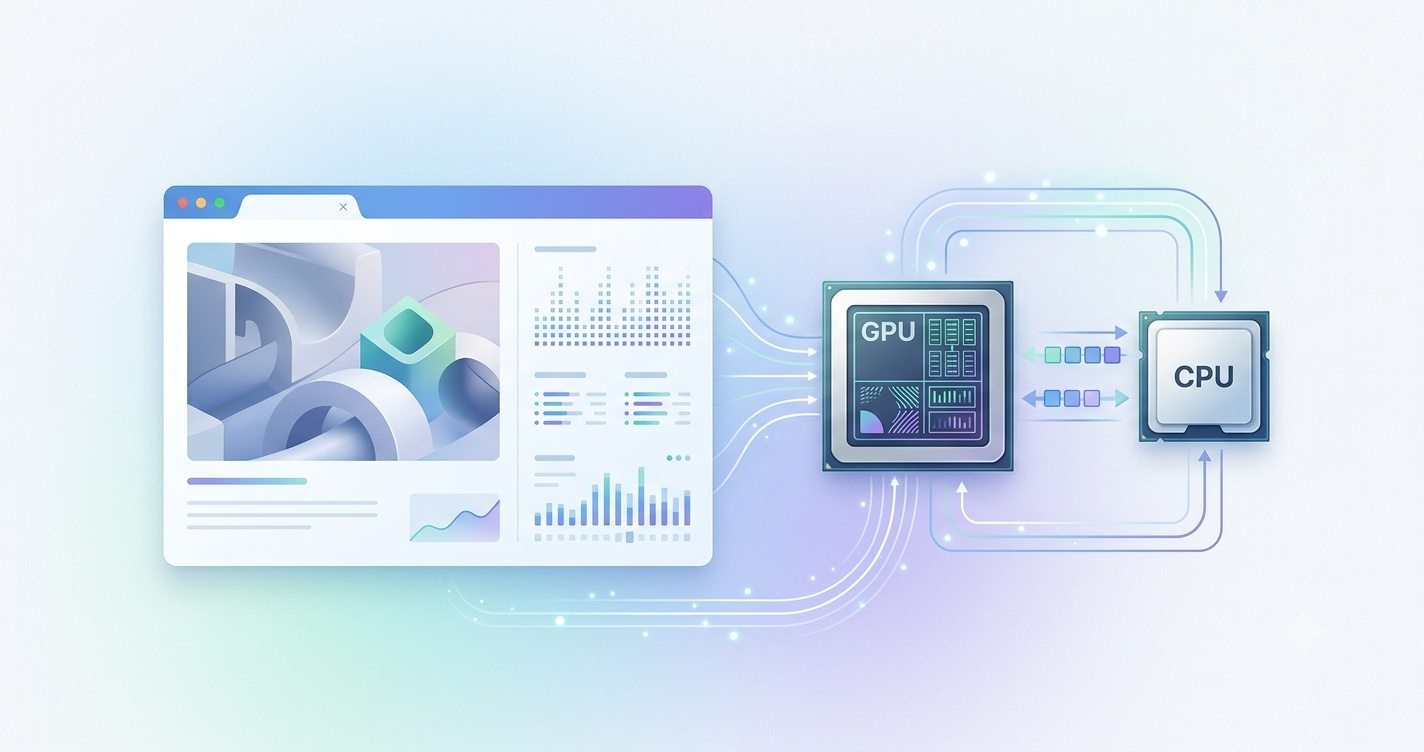
Modern web applications are becoming more visually advanced. From browser-based games and 3D experiences to AI-powered tools and interactive simulations, users now expect smooth graphics with fast response times. However, creating high-performance graphics on the web is not only about using powerful hardware. Developers also need to understand how efficiently the browser communicates with the GPU.
This is where WebGPU Performance Optimization becomes important. WebGPU introduces a modern approach to accessing GPU capabilities directly from web applications, allowing developers to create faster rendering experiences compared to older technologies. But without proper optimization, even WebGPU applications can suffer from slow frame rates, memory problems, and unnecessary processing overhead.
This complete guide explains how developers can improve WebGPU performance by understanding bottlenecks, optimizing rendering workflows, managing GPU resources efficiently, and following practical techniques used in modern graphics development.
What Is WebGPU Performance Optimization?
WebGPU Performance Optimization refers to the process of improving the efficiency, speed, and resource usage of applications that use the WebGPU API for graphics rendering and GPU computing. It involves reducing unnecessary CPU and GPU workloads, improving memory handling, optimizing shaders, and creating smoother rendering pipelines.
Unlike traditional web graphics approaches, WebGPU provides lower-level access to modern GPU features. This allows developers to control rendering processes more precisely, but it also requires a deeper understanding of how graphics workloads are managed.
In simple terms, WebGPU optimization means making the GPU perform more useful work while avoiding wasted operations.
Why WebGPU Optimization Is Becoming Essential
The demand for high-performance browser experiences is increasing rapidly. Developers are building complex applications that previously required desktop software, including 3D design platforms, browser games, scientific simulations, and machine learning applications.
A poorly optimized WebGPU application may still work, but users will notice issues such as delayed interactions, unstable frame rates, increased battery consumption, and slow loading times.
Performance optimization helps solve these problems by improving:
- Rendering speed and frame consistency
- GPU workload efficiency
- Memory consumption
- Application responsiveness
- Device compatibility
For example, a WebGPU-based 3D visualization tool may display thousands of objects on screen. If every object creates separate GPU commands, the browser spends more time managing instructions rather than rendering graphics. Optimization techniques such as batching and instanced rendering can significantly improve performance.
WebGPU vs Older Graphics Technologies
WebGPU was designed as a modern replacement for older browser graphics APIs such as WebGL. While WebGL made hardware-accelerated graphics possible on the web, it was built around older GPU architectures.
WebGPU provides improved control through features such as:
- Modern GPU pipeline architecture
- Compute shader support
- Better resource management
- More efficient command processing
- Improved support for advanced graphics workloads
However, more control also means developers must make smarter decisions about how resources are created, updated, and used.
A common mistake is assuming that switching to WebGPU automatically guarantees maximum performance. In reality, optimization remains a critical part of development. The API provides powerful capabilities, but the final performance depends on how efficiently those capabilities are used.
For developers building professional graphics applications, understanding WebGPU Performance Optimization is becoming a valuable skill. It creates a foundation for developing faster, smoother, and more scalable browser experiences.
Common Performance Bottlenecks in WebGPU Applications
Optimizing a WebGPU application starts with identifying what slows it down. Many performance issues are not caused by the GPU itself but by inefficient communication between JavaScript, the browser, and the graphics hardware.
Understanding these bottlenecks helps developers focus their optimization efforts where they create the biggest impact.
CPU-GPU Communication Overhead
One of the most common WebGPU performance issues occurs when the CPU sends too many small instructions to the GPU.
The GPU is designed to process large amounts of parallel work. However, frequent communication between the CPU and GPU can create unnecessary delays.
For example, sending hundreds of individual rendering commands for separate objects creates additional overhead. Instead, developers can combine similar operations into fewer commands through techniques like batching.
Reducing unnecessary CPU-GPU communication allows the GPU to spend more time rendering and less time waiting for instructions.
Excessive Draw Calls
A draw call is an instruction that tells the GPU to render something. Although modern GPUs can handle thousands of operations, too many individual draw calls can reduce performance.
Common causes include:
- Rendering objects separately when they could be combined
- Frequently changing materials
- Recreating pipelines unnecessarily
- Poor scene organization
For example, a game environment containing thousands of identical trees does not need thousands of separate rendering commands. Using instanced rendering allows the GPU to render many similar objects efficiently with fewer instructions.
Inefficient Shader Performance
Shaders control how graphics are processed by the GPU. Complex or poorly written shaders can become a major performance limitation.
Common shader-related problems include:
- Unnecessary calculations
- Excessive texture operations
- Large conditional logic
- Poor data organization
A simple shader that performs only required calculations will usually outperform a complicated shader that produces the same visual result.
Memory Transfer Problems
Moving data between CPU memory and GPU memory is another important performance factor.
Uploading large amounts of data repeatedly can slow applications because transferring resources requires processing time.
Examples include:
- Updating entire buffers when only small sections changed
- Reloading textures unnecessarily
- Creating duplicate resources
Efficient WebGPU applications carefully control when and how data moves between systems.
Poor Pipeline Management
WebGPU uses rendering pipelines that define how graphics operations are performed. Creating pipelines repeatedly during runtime can negatively affect performance.
Developers should create reusable pipelines whenever possible and avoid unnecessary state changes.
A well-optimized application usually has predictable rendering workflows where resources are prepared before they are needed.
Identifying these bottlenecks is the first step toward effective WebGPU Performance Optimization. Once developers understand where performance is being lost, they can apply targeted techniques instead of making random changes.
Best WebGPU Performance Optimization Techniques
Effective WebGPU optimization requires a combination of rendering strategies, resource management practices, and code improvements. The goal is not simply to make individual components faster but to create an efficient system where CPU, GPU, and memory resources work together.
Reduce Unnecessary Draw Calls
Reducing draw calls is one of the most effective ways to improve WebGPU rendering performance.
Instead of sending separate commands for every object, developers can combine similar objects into fewer operations. This reduces CPU workload and allows the GPU to process larger batches of data.
Techniques such as instanced rendering are especially useful for repeated objects like:
- Game characters
- Particles
- Trees
- Buildings
- Background elements
The GPU can render multiple instances using shared data, which creates significant performance improvements.
Optimize Rendering Pipelines
A rendering pipeline defines how WebGPU processes graphics data. Creating and switching pipelines frequently can introduce unnecessary overhead.
Better practices include:
- Reusing existing pipelines
- Organizing materials efficiently
- Minimizing pipeline changes
- Preparing resources before rendering begins
Efficient pipeline management creates a smoother rendering process and reduces interruptions during real-time applications.
Improve Shader Efficiency
Shaders should be designed with performance in mind.
Developers can optimize shaders by:
- Removing unnecessary calculations
- Reducing complex operations
- Using appropriate data types
- Avoiding repeated calculations
For example, if a calculation produces the same result for every object, it should be calculated once instead of repeatedly inside the shader.
Use Command Batching
Command batching allows multiple operations to be grouped together before execution.
Instead of constantly sending instructions from JavaScript, developers can prepare command buffers and submit them efficiently.
This reduces CPU overhead and improves rendering consistency, especially in applications with complex scenes.
Profile Before Optimizing
A common mistake is optimizing without measuring performance.
Professional developers usually follow a profiling-based approach:
First, identify the slowest part of the application.
Second, measure GPU and CPU workload.
Third, apply targeted improvements.
Fourth, test whether the changes actually improved performance.
Random optimization can sometimes make code more complicated without creating meaningful benefits.
Optimize for Different Devices
WebGPU applications may run on powerful desktop GPUs as well as mobile devices.
A technique that works well on high-end hardware may create problems on smaller devices.
Developers should consider:
- GPU memory limitations
- Mobile battery usage
- Different browser implementations
- Screen resolution differences
Good optimization creates consistent performance across multiple environments.

Optimizing Memory Management and GPU Resources
Memory management plays a major role in WebGPU Performance Optimization because graphics applications often handle large amounts of data, including textures, models, buffers, and shader resources.
Poor memory management can cause slow loading, increased GPU pressure, and unstable performance.
Efficient Buffer Management
Buffers store data that the GPU needs during rendering. These include vertex data, indexes, uniform values, and storage information.
A common mistake is creating and destroying buffers repeatedly during runtime.
Better practices include:
- Reusing existing buffers
- Updating only required data
- Allocating resources strategically
For example, an animation system should update changing values instead of recreating entire object data every frame.
Optimize Texture Usage
Textures often consume significant GPU memory. Large or unnecessary textures can reduce performance.
Optimization methods include:
- Using appropriate texture sizes
- Compressing textures
- Removing unused assets
- Loading resources when required
High-quality graphics do not always require maximum texture resolution. The best approach is balancing visual quality with performance requirements.
Manage GPU Resources Carefully
WebGPU applications use different resources, including:
- Buffers
- Textures
- Samplers
- Bind groups
- Pipelines
Each resource requires memory and processing time.
Developers should create resources only when needed and release unnecessary resources to prevent memory waste.
Avoid Frequent Data Transfers
Sending large amounts of data from the CPU to the GPU every frame can become a performance limitation.
Instead, developers should:
- Update only changed values
- Store static data on the GPU
- Reduce unnecessary synchronization
Efficient data flow allows the GPU to focus on rendering rather than waiting for new information.
Balance Memory and Performance
More memory usage does not always mean better performance. Using excessive resources can create new problems.
The best WebGPU applications maintain a balance between:
- Visual quality
- Rendering speed
- Memory consumption
- Device capability
Professional optimization is about making intelligent decisions based on application requirements.
By managing buffers, textures, and GPU resources efficiently, developers can achieve smoother graphics, faster rendering, and more reliable WebGPU applications.
Continuing the article with the remaining sections. I have kept the tone educational, added practical examples, used tables only in two sections, and avoided bullet points.
Profiling and Debugging WebGPU Performance
Optimizing a WebGPU application without measuring its performance is like trying to repair a machine without knowing where the problem exists. Developers often make changes based on assumptions, but real performance improvements come from identifying the exact areas where resources are being wasted.
WebGPU Performance Optimization requires a profiling-based approach. Before changing code, developers need to understand whether the limitation is coming from the CPU, GPU, memory usage, shader processing, or resource management.
One important measurement is frame time. A smooth graphics experience depends on maintaining consistent frame delivery. If one frame takes significantly longer than others, users may experience stuttering or delayed interactions. Profiling helps identify what causes these slow frames.
Developers should analyze CPU workload and GPU workload separately. Sometimes the GPU is powerful enough, but the application sends commands inefficiently from JavaScript. In other cases, the CPU is working efficiently, but complex shaders or large textures slow down GPU processing.
Modern browser development tools provide valuable information for analyzing WebGPU applications. Developers can inspect rendering behavior, monitor resource usage, and identify expensive operations. GPU timing measurements are especially useful because they show how long specific rendering tasks take.
For example, imagine a browser-based 3D product visualization platform where users can rotate a detailed vehicle model. If the application feels slow, profiling may reveal that the problem is not the model complexity itself but repeated texture loading and unnecessary buffer updates. By storing static resources once and updating only changing data, the application can become significantly smoother.
Common debugging areas include shader execution, pipeline creation, memory allocation, and command submission. A shader that performs unnecessary mathematical calculations may appear visually correct but consume valuable GPU processing power. Similarly, creating pipelines repeatedly during runtime can create avoidable delays.
The following comparison shows common problems and their optimization approach:
| Performance Issue | Possible Cause | Optimization Approach |
| Low frame rate | Too many rendering operations | Reduce draw calls and improve batching |
| Slow loading | Large resources and textures | Compress assets and manage loading strategy |
| Stuttering animation | Frequent CPU-GPU communication | Reduce unnecessary data transfers |
| High memory usage | Duplicate resources | Reuse buffers and textures efficiently |
A professional optimization workflow usually follows three stages. First, measure the current performance. Second, identify the biggest bottleneck. Third, apply one improvement at a time and measure the result again.
This approach prevents unnecessary code changes and ensures that optimization efforts create real improvements instead of only making the code more complicated.
Real-World Best Practices for Faster Graphics Rendering
WebGPU Performance Optimization becomes more valuable when applied to real applications. Different projects have different requirements, but the core principles remain similar across games, AI tools, simulations, and interactive websites.
One important practice is designing the application architecture with performance in mind from the beginning. Developers should not wait until an application becomes slow before thinking about optimization. Efficient resource handling, clean rendering systems, and scalable designs create better results in the long term.
For example, consider a browser-based online game using WebGPU. A beginner approach might render every object individually and update every resource continuously. This may work for a small demo but can become a serious problem when the game world becomes larger.
A professional approach would separate static and dynamic resources. Buildings, environment objects, and background elements can remain stored efficiently, while only moving objects receive frequent updates. This reduces unnecessary GPU workload.
Another important practice is optimizing for different hardware conditions. A desktop gaming computer and a mobile device may support WebGPU, but their GPU capabilities are very different. Applications should adjust quality settings based on available resources.
The table below explains how different applications can apply WebGPU optimization principles:
| Application Type | Main Performance Challenge | Recommended Optimization Focus |
| Browser Games | Real-time rendering workload | Instancing, shader optimization, efficient asset handling |
| 3D Design Tools | Large models and complex scenes | Memory management and rendering pipeline efficiency |
| AI Applications | Heavy computation tasks | Compute shader optimization and data transfer reduction |
| Data Visualization | Large datasets | Efficient buffers and optimized rendering updates |
Another best practice is keeping shaders simple and efficient. Developers sometimes add complex effects because modern GPUs are powerful, but unnecessary complexity can reduce performance. A well-designed shader that achieves the same visual result with fewer operations is usually the better choice.
Resource loading strategy also matters. Applications should avoid loading everything immediately. Instead, resources should be loaded when required. This improves initial performance and creates a smoother user experience.
Testing across multiple browsers is also important. WebGPU implementations continue to improve, and performance can vary depending on browser engines and hardware drivers. A reliable application should be tested in different environments.
Real-world optimization is not about removing every advanced feature. It is about using features intelligently. A balanced approach creates applications that look impressive while maintaining speed and responsiveness

Common Optimization Mistakes and Future of WebGPU
Many developers understand the importance of performance but still make mistakes that limit their WebGPU applications. These mistakes usually happen because optimization requires understanding how the entire rendering process works, not only individual code sections.
One common mistake is focusing only on visual output while ignoring performance structure. Developers may create beautiful graphics but use inefficient rendering methods that increase processing requirements unnecessarily.
Another mistake is updating everything every frame. Not all data changes continuously. Static objects, textures, and configuration data should remain unchanged unless updates are actually required.
Poor resource cleanup is another issue. Applications that create many temporary resources without managing them properly may experience increasing memory usage over time. This can eventually reduce performance, especially during long sessions.
Developers also sometimes optimize too early. Making complex changes before identifying real bottlenecks can waste time. The better approach is measuring performance first and improving the areas that create the biggest impact.
Looking toward the future, WebGPU is expected to become increasingly important for advanced browser applications. As browsers continue improving support, developers will use WebGPU for experiences that previously required dedicated software.
Artificial intelligence is one area where WebGPU has strong potential. Browser-based AI tools can use GPU acceleration for certain workloads, allowing faster processing without requiring users to install heavy applications.
Gaming, virtual environments, scientific visualization, and creative software are also expected to benefit from improved WebGPU capabilities. As hardware becomes more powerful, optimization will remain important because users will continue expecting faster and richer experiences.
The future of WebGPU is not only about higher graphics quality. It is about making powerful computing available directly inside the browser. Developers who understand performance optimization will be better prepared to build the next generation of web applications.
Also Read: Business Process Documentation Complete Guide for Better Workflows
Conclusion
WebGPU Performance Optimization is becoming an essential skill for developers who want to create modern, high-performance web experiences. As browser applications become more advanced, simply creating functional graphics is no longer enough. Users expect smooth animations, fast responses, and consistent performance across different devices.
The foundation of optimization starts with understanding how WebGPU works. Developers need to recognize the relationship between CPU processing, GPU execution, memory usage, shaders, pipelines, and resource management. Every part of the rendering process affects the final experience.
Throughout this guide, we explored the most important optimization areas, including reducing unnecessary draw calls, improving shader efficiency, managing GPU resources, profiling performance, and avoiding common mistakes.
A practical example can be seen in a browser-based 3D application. A basic version may struggle when handling thousands of objects because every object creates additional workload. By applying techniques such as instanced rendering, buffer reuse, and optimized pipelines, the same application can deliver smoother performance without reducing visual quality.
The key lesson is that optimization is not one single technique. It is a continuous process of measuring, improving, and testing. Developers should focus on removing wasted work rather than simply adding more hardware power.
WebGPU provides powerful tools for modern graphics development, but those tools deliver the best results when used strategically. Efficient applications are created by making smart decisions about how data moves, how resources are stored, and how rendering tasks are organized.
For developers starting with WebGPU, the best approach is to build a strong understanding of performance fundamentals and apply optimization practices from the beginning. This creates applications that are faster, more scalable, and better prepared for future web technologies.
As WebGPU adoption continues growing, performance-focused development will become a major advantage. Learning these optimization principles today can help developers build smoother games, advanced AI experiences, interactive simulations, and next-generation browser applications tomorrow.